May 11th, 2026
✨ New Feature
You can now generate images using Luma's Uni-1 and Uni-1 Max models.
These new options expand your creative toolkit alongside the existing Gemini and OpenAI image models. You can customize which AI models are used for each section of Lumoo under Workspace Management → Settings → AI Settings.
May 11th, 2026
✨ New Feature
You can now choose exactly how you want to export your images before downloading.
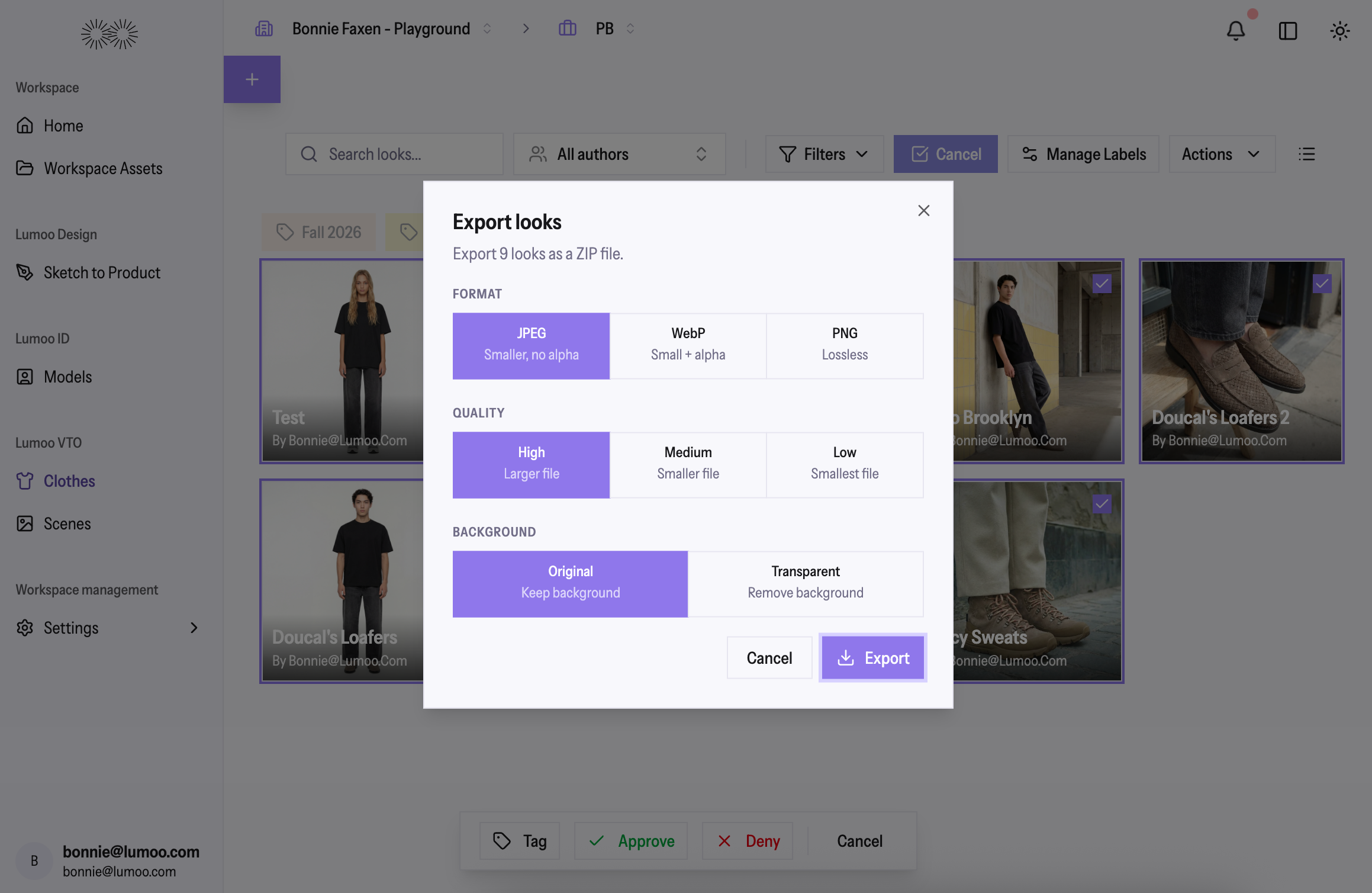
Pick your preferred file format (JPEG, WebP, or PNG), quality level, and whether to keep or remove the background — right from the export dialog.
Your preferences are saved automatically for next time, and a one-click download button is still there when you want something fast.
April 23rd, 2026
✨ New Feature
You can now select which AI image model each feature (Scenes, Models, STP, VTO) uses within a workspace.
Head to Workspace Settings → AI Settings to customize your model preferences alongside your generation prompts. The active model is also displayed in the generation info dialog so you always know which AI model was used.
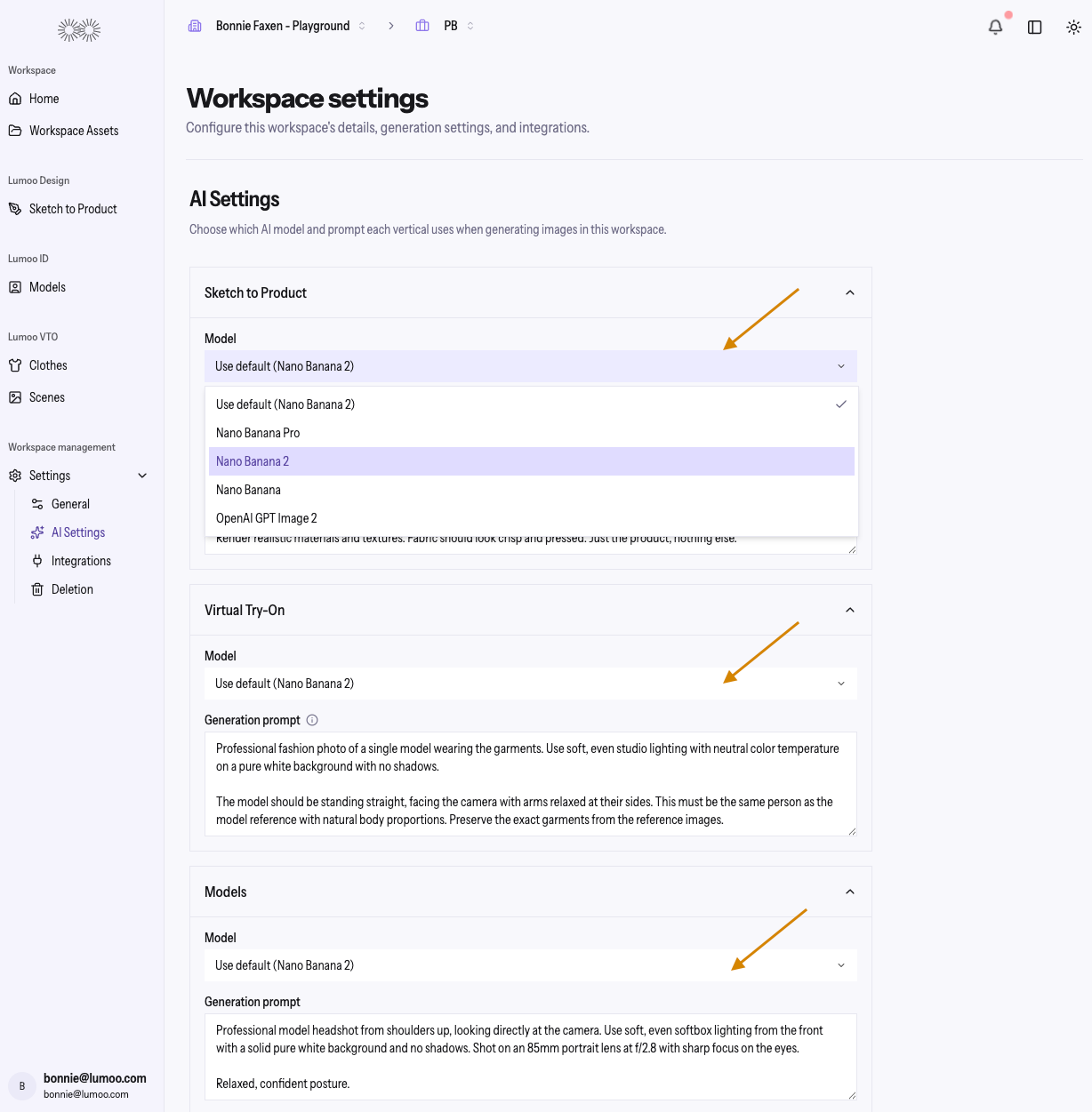
This gives you more power to control your generations and configure your platform specifically for your brand. 💪
April 23rd, 2026
✨ New Feature
You can now use tags to organize and filter your assets across scenes, models, products, and looks. Create and manage tags by clicking “Manage Labels”.
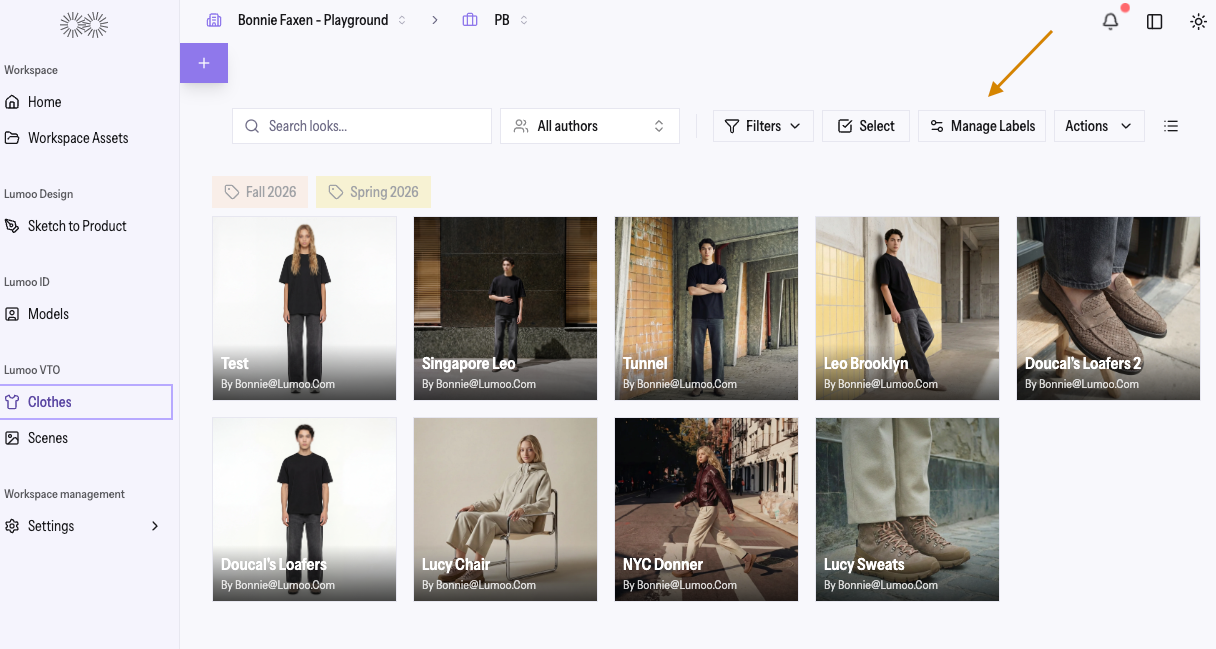
This makes it easier to find what you need quickly, especially as your library grows.
We have also added search fields on all asset list pages for a faster, more streamlined browsing experience.
April 20th, 2026
✨ New Feature
You can now move selected items including VTO looks, products, models, and scenes directly to another workspace within your organization.
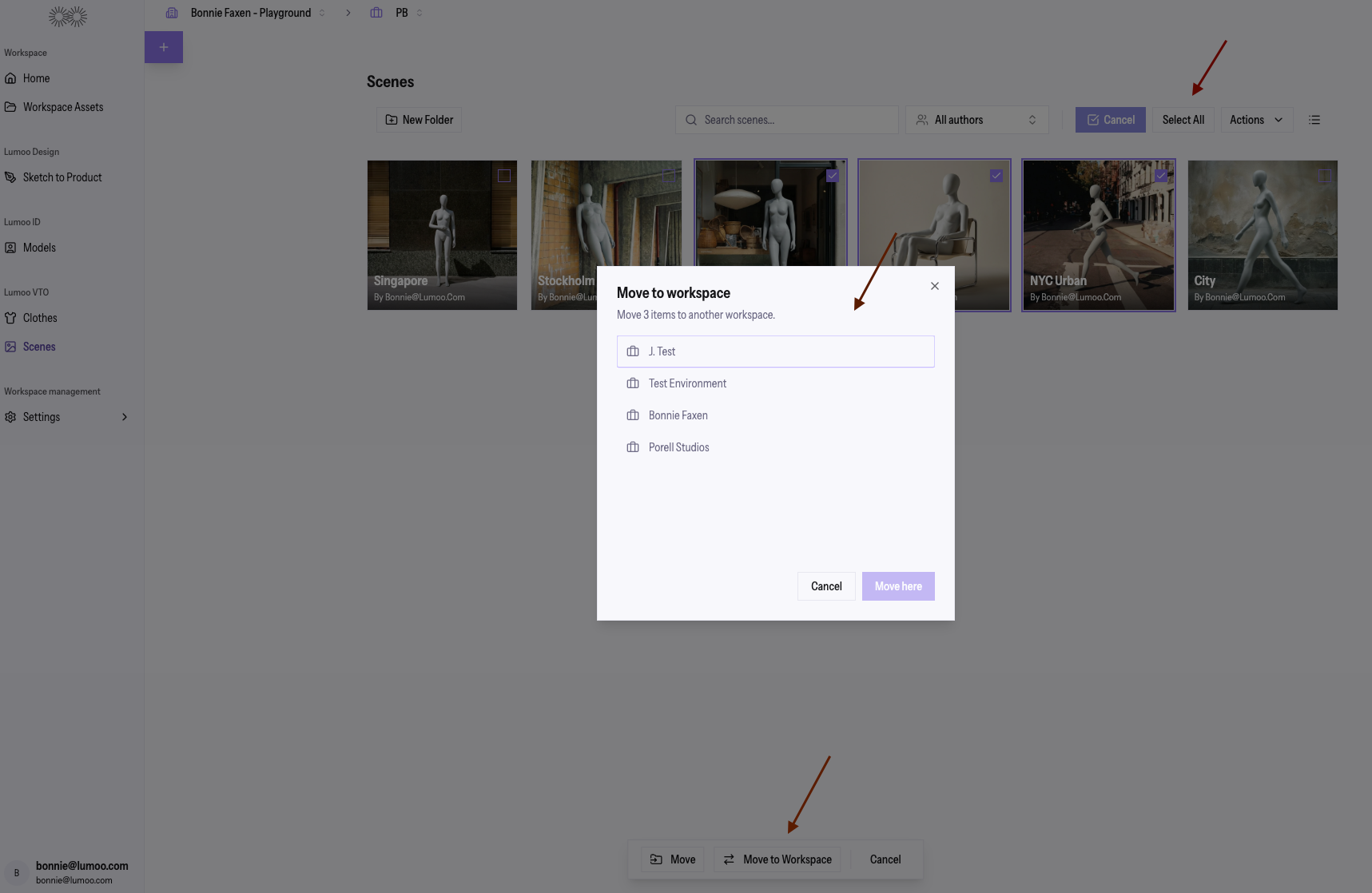
Simply select the items you want to move and choose 'Move to Workspace' from the selection bar (currently located at the bottom center of the page). This makes it easier to organize your content as your projects evolve.
April 15th, 2026
🔧 Improvement
The editing experience has been upgraded with several quality improvements:
You can now choose brush colors when drawing annotations
A new cumulative edit mode lets you layer multiple instructions on top of the original image for more precise, iterative results
The AI also receives cleaner reference data alongside your edits, leading to better outcomes overall
April 7th, 2026
✨ New Feature
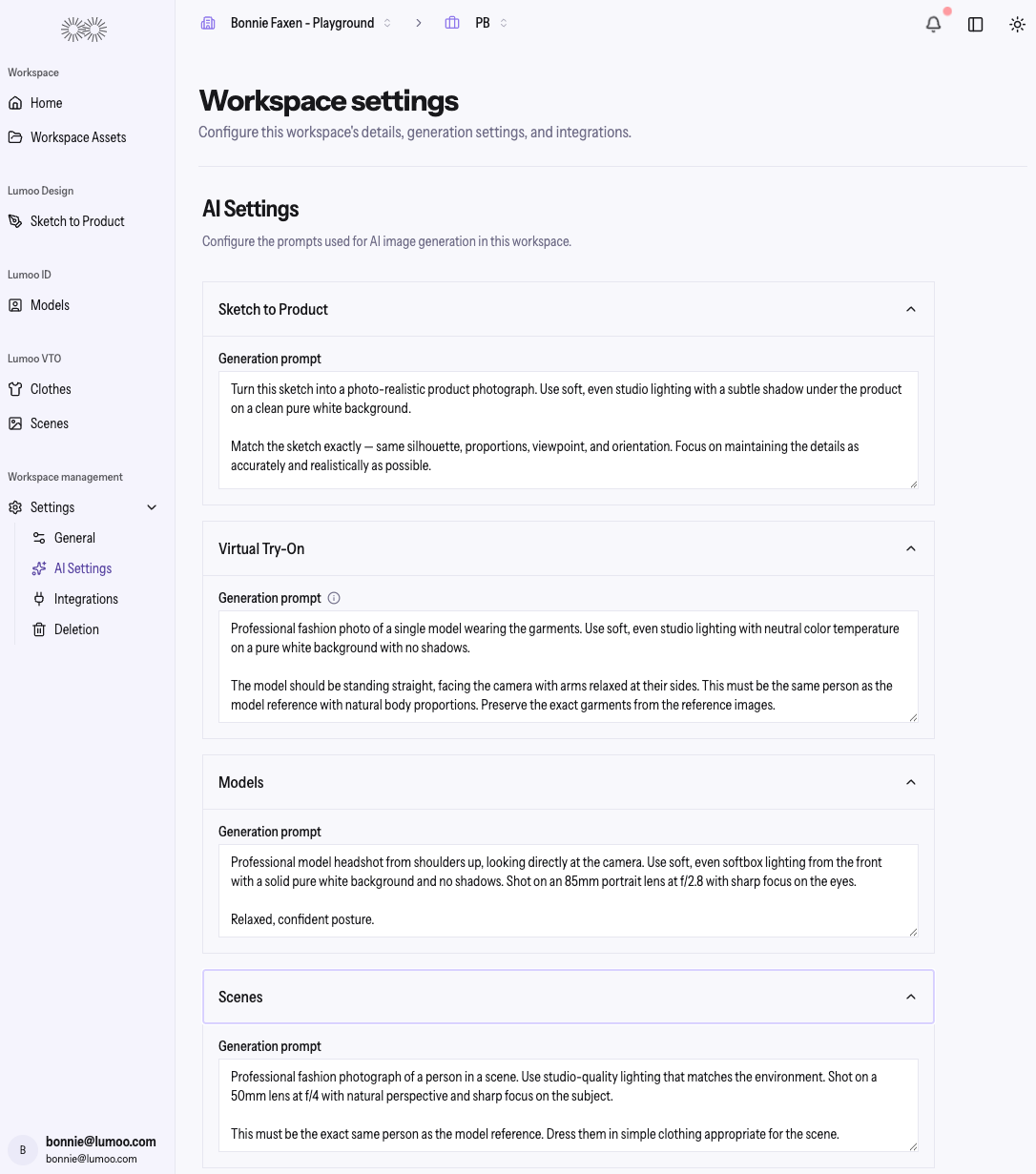
You can now customize the AI text prompts used for each generation type within a Workspace: Sketch to Product, Virtual Try-On, Models, and Scenes directly from Workspace Settings, under AI Settings. Utilize pre-built text prompts by Lumoo, edit them, or create new prompts on your own. These are unique to each Workspace.
Workspace Management and AI Settings:
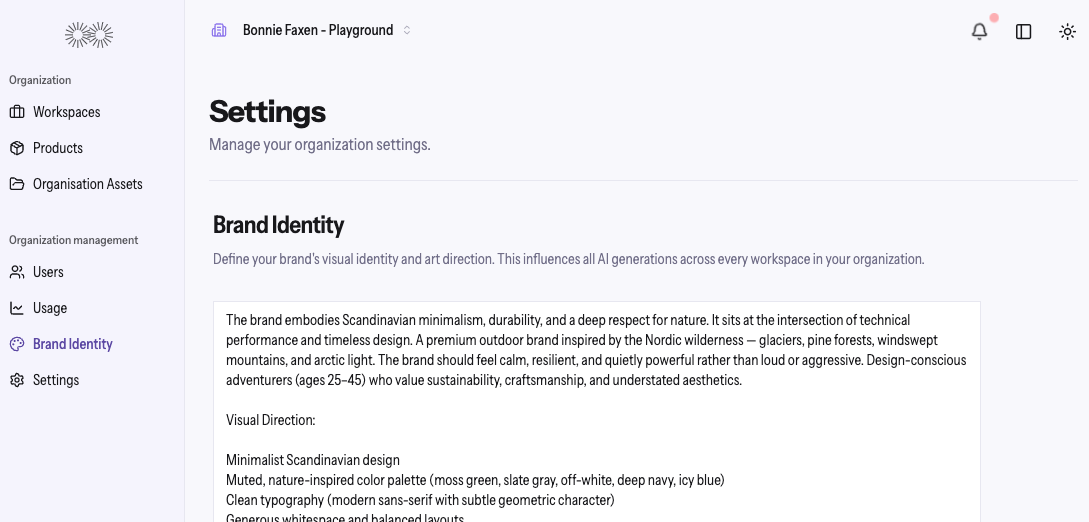
You can also configure text prompts at an Organization level for your Brand Identity. These prompts influence all AI generations across all Workspaces, making it easier to align outputs with your brand's visual style and art direction.
Organization Management and Brand Identity:
April 7th, 2026
✨ New Feature
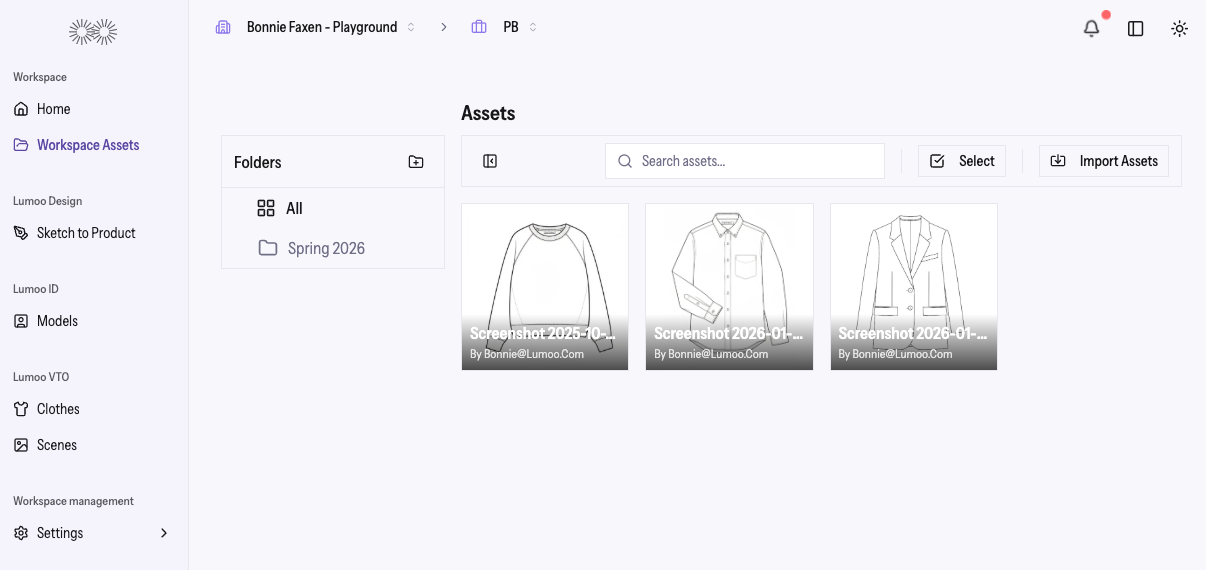
You can now import, browse, search and select assets from your own dedicated Asset Library. In addition, you can now create Folders to store and organize your Assets.
Assets can be imported at the Organization level, allowing all Workspaces within your account access to those assets. Assets can also be imported at the Workspace level to utilize within specific Workspaces.
You can search or drill into specific folders to quickly find what you need. Selecting one or many assets is seamless, with a clear confirmation flow before applying your choices.
March 27th, 2026
New
✨ New Feature
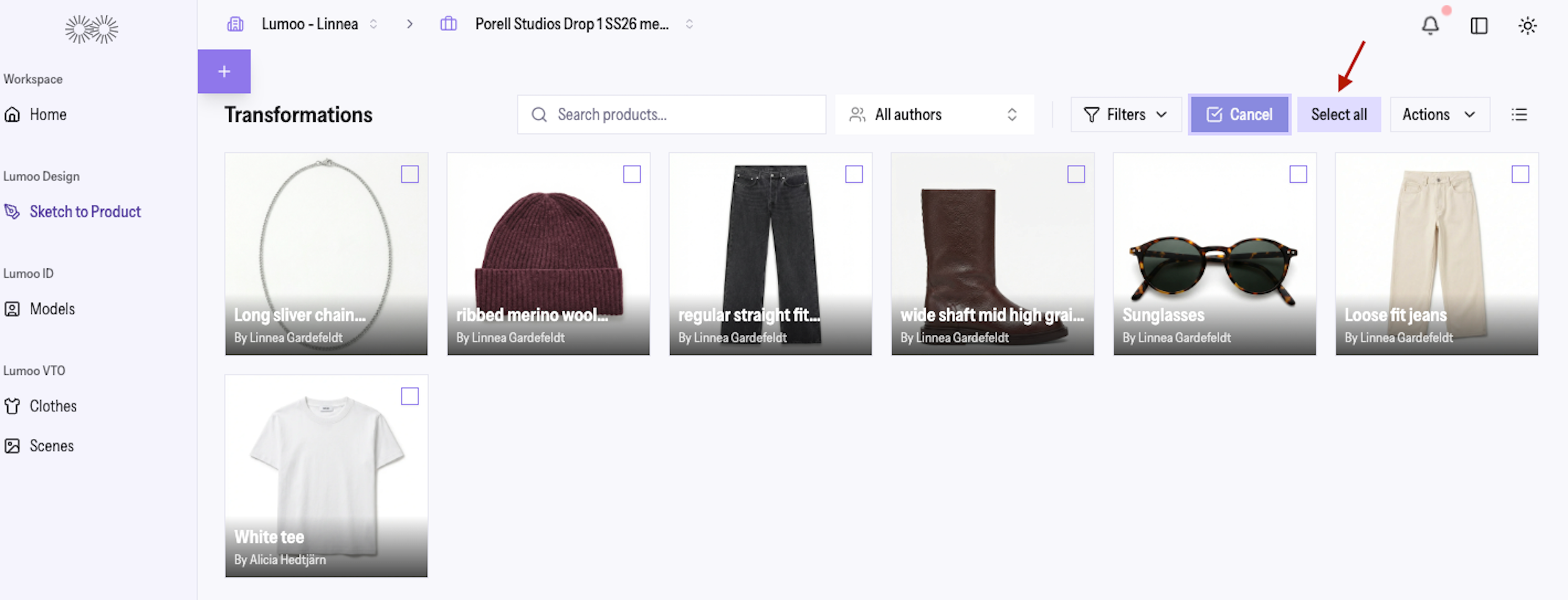
You now have the option to “Select All” Transformations and Looks in Sketch to Product and Clothes with a single click. Bulk actions like export, approval, background removal, and deletion all work seamlessly with your full product set — with the option to exclude individual items as needed.
March 26th, 2026
Improved
✨ New Feature
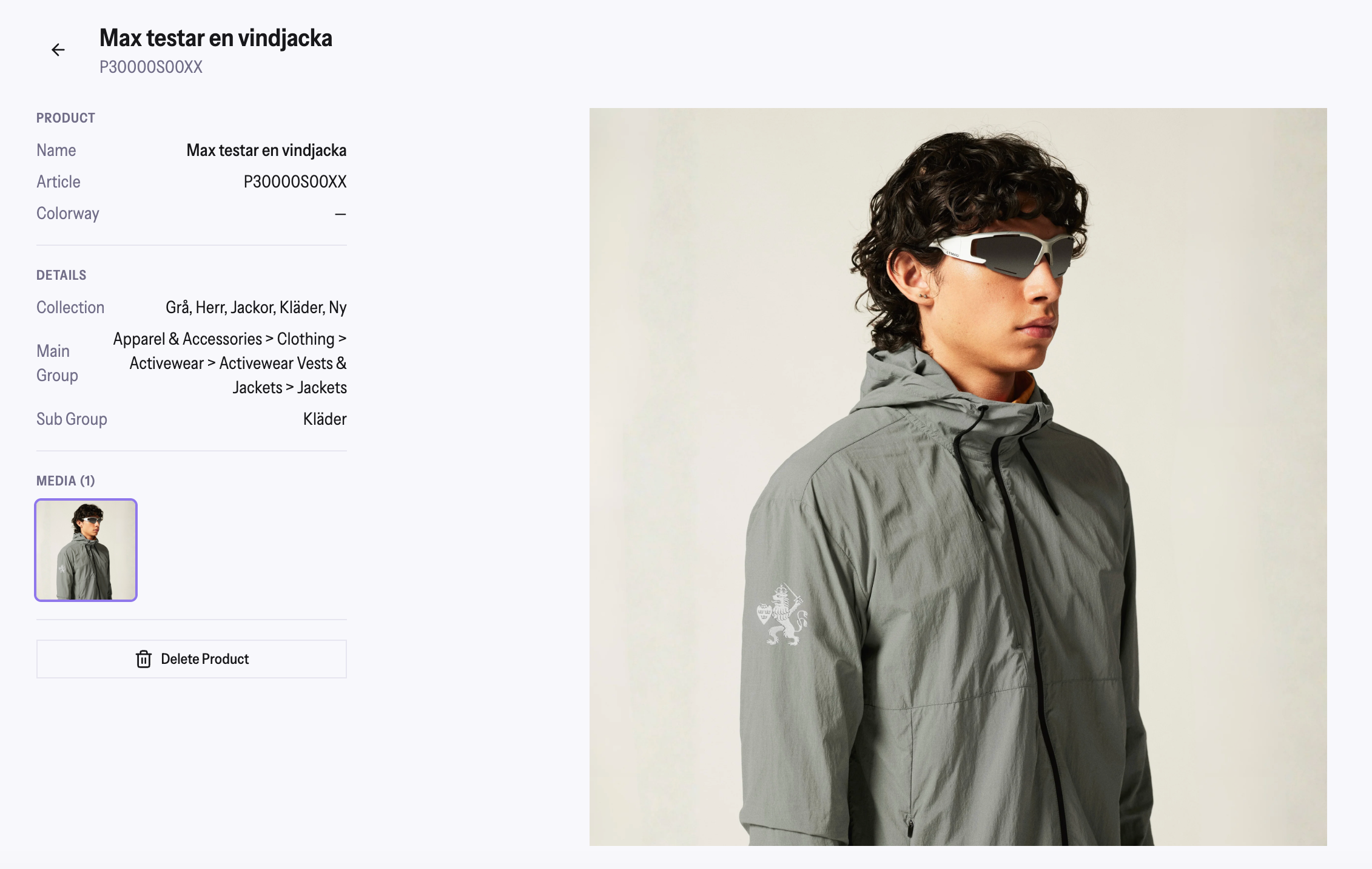
You can now click on any product in your catalog to open a full detail view, complete with an image gallery, product metadata, and the ability to remove individual media files.
Hovering over a product card preloads its images for a snappier experience.
Duplicate rows in CSV imports are now intelligently grouped as multi-image products rather than blocked as errors.